Every server.
One app.
A remote access client for system administrators, on iPad and Mac. RDP, SSH, SFTP, FTP and VNC in one app, with a keyboard that works on consoles, in the BIOS and in Hyper-V VMConnect.
Free to download · iPad with iPadOS 17+ · Mac with Apple silicon and macOS 14+ · English and Hungarian



Built for the people who keep things running
No account, no tracking, no cloud relay. Pro Sys Tools connects straight from your iPad or Mac to your servers.
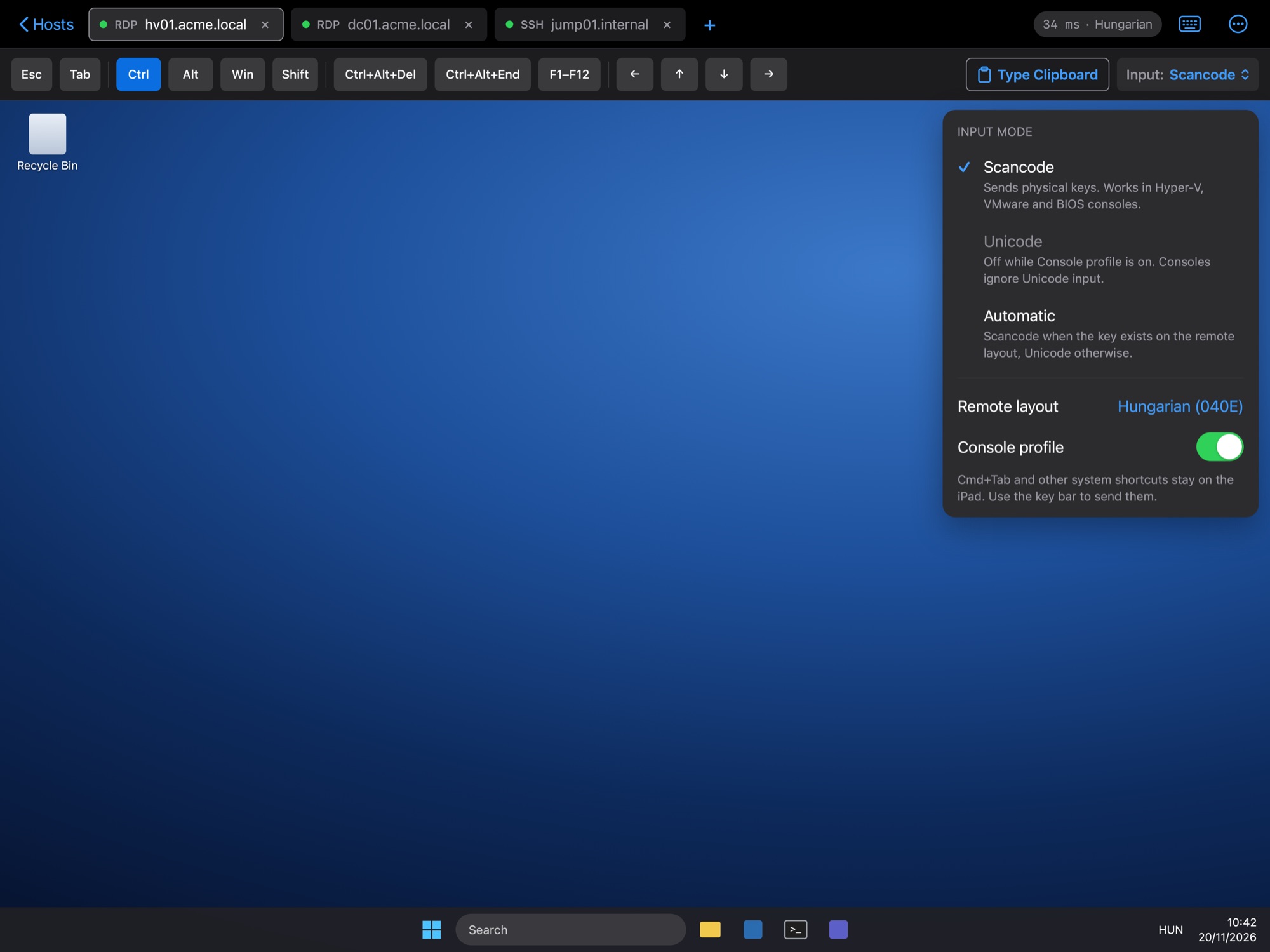
A keyboard that works on consoles
RDP sends physical scancodes, not Unicode characters, so typing works in VMConnect, VMware consoles, BIOS screens and login prompts.
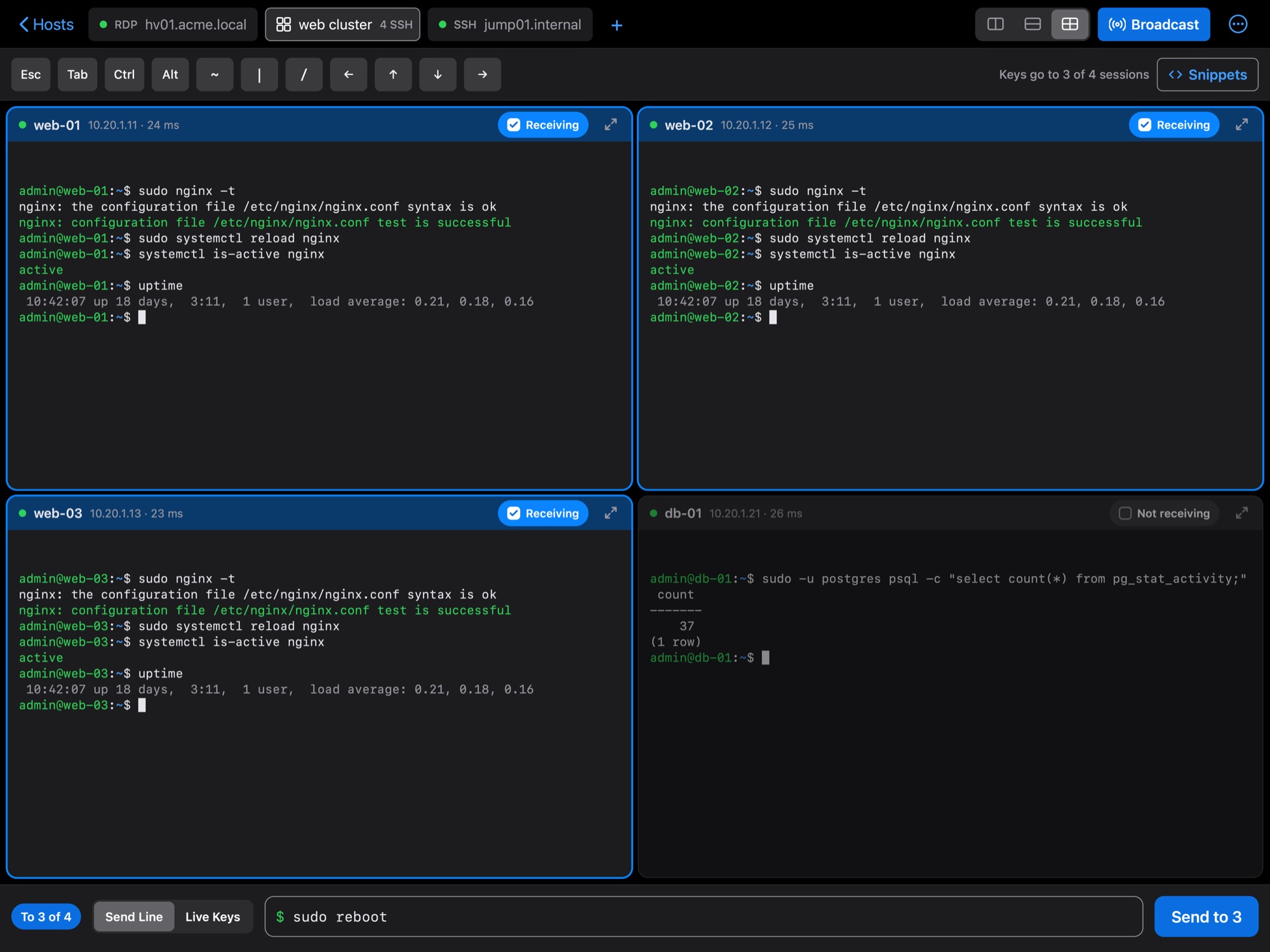
SSH done properly
Key and certificate auth, ProxyJump, port forwarding and SOCKS proxy, tmux auto-attach, split terminals, broadcast input and snippets.
Files everywhere
SFTP, SCP, FTP and FTPS with a two-pane file manager, folder sync, and your SFTP servers right inside the Files app.
Proxmox, Docker and Redfish
Manage Proxmox VE clusters, guests and consoles, Docker hosts and containers, and server hardware over Redfish (iDRAC, iLO and more).
Credentials stay on the device
Passwords and private keys live in the Keychain, locked to this device and protected by Face ID or Touch ID.
Optional iCloud sync
Sync your host list between devices through your own private iCloud database. Secrets are never synced.
Free to use. Premium when you grow.
Every feature and protocol is in the free plan. Premium removes the limits on saved hosts and parallel sessions.
- All protocols and features
- 2 saved hosts
- 1 session at a time
- Unlimited hosts
- Unlimited parallel sessions
- Unlimited hosts and sessions
- Free trial for new subscribers
- Unlimited hosts and sessions
- One-time purchase
Prices shown in euro; the App Store shows the price in your local currency. Subscriptions renew automatically until cancelled in your Apple Account settings. See the Terms of Use.
Support
Questions, bug reports and feature requests are welcome. We usually reply within two business days.
How do I restore my Premium purchase on a new iPad or Mac?
Sign in with the same Apple Account, then open Settings › About › Restore Purchases in the app.
How do I cancel my subscription?
In the app go to Settings › About › Manage Subscription, or open the Settings app › your name › Subscriptions on iPad, or App Store › your name › Account Settings › Subscriptions on Mac. Cancel at least 24 hours before the renewal date. Your hosts and data stay in the app after the subscription ends.
What happens to my hosts if Premium ends?
Nothing is deleted. All hosts stay visible and editable; the two most recently used ones can still connect.
Are my passwords synced to iCloud?
No. Passwords and private keys are stored in the Keychain with "this device only" protection. iCloud sync, if you turn it on, only carries host settings such as names, addresses and ports.
The keyboard types wrong characters in an RDP console.
Make sure the keyboard layout in the host's RDP settings matches the layout configured on the remote machine. Scancode mode is the default and is what consoles need.
Can I connect to servers on my local network?
Yes. When the system asks for Local Network access, allow it. You can change this later under Privacy & Security › Local Network in Settings (iPad) or System Settings (Mac).
Does it run on Mac or iPhone?
Yes on Mac: the iPad app runs on Macs with Apple silicon (M1 or later) and macOS 14 or later. Download it from the Mac App Store, where it is listed as "Designed for iPad". One Premium purchase works on both. An iPhone version is planned.
Please include your device, iPadOS or macOS version, the app version (Settings › About) and the protocol you were using. Never send passwords or private keys.